Drag and Drop
[Spell Card ]
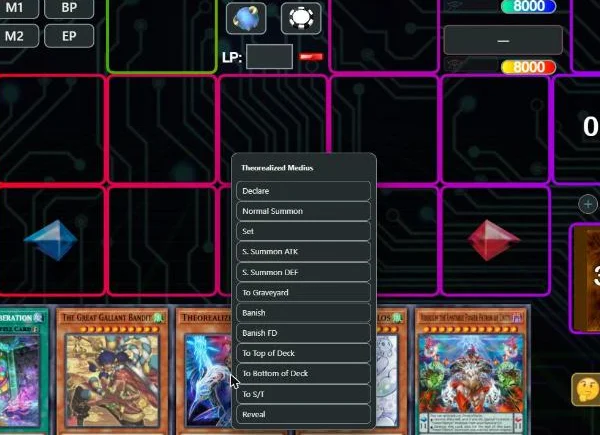
Drag a card to a zone to Summon, Set, attack, send it to the GY, banish it or return it to the Deck. Hold Shift, Alt or Ctrl to change how it is played. You can negate this card's effects in the settings.
 spellspeed
Chrome · soon
spellspeed
Chrome · soon
Spellspeed is a free extension that makes DuelingBook faster and easier on the eyes. Drag cards to play them, see your whole Deck at a glance, rewind any replay, and build decks with a search that finds the right card.
Chrome, Edge, Brave and Opera on a computer, and Android.

Every action they take is one of DuelingBook's own; they just resolve faster. Pick a card to read it.
[Spell Card ]
Drag a card to a zone to Summon, Set, attack, send it to the GY, banish it or return it to the Deck. Hold Shift, Alt or Ctrl to change how it is played. You can negate this card's effects in the settings.
[Spell Card ]
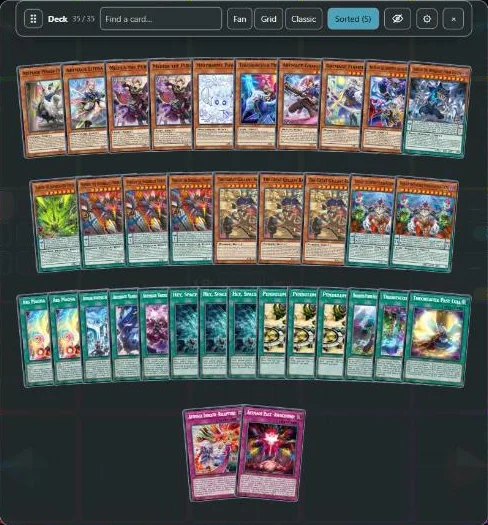
Your Deck, Extra Deck, GY and banished cards open as fans or grids. Search and sort them, or click a name in card text to list every card that matches. You can negate this card's effects in the settings.
[Spell Card]
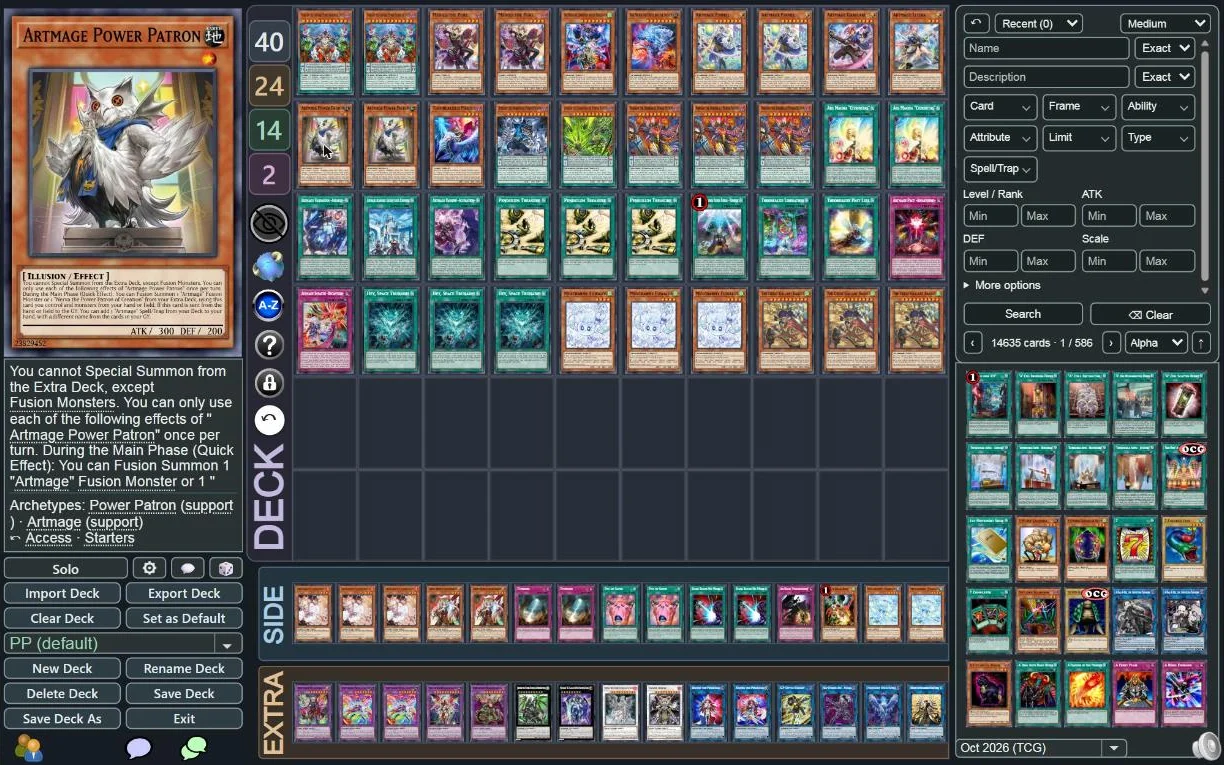
Search by type, frame, Attribute, ATK/DEF and effect. Access: list the cards that can add this card from the Deck. Summon Lab: list what your monsters can Summon. You can negate this card's effects in the settings.
[Spell Card ]

During any replay: slide to any play, step back one play or one turn, or play at up to 4×. Plays you have already seen are instant. You can negate this card's effects in the settings.
[Spell Card ]
The field becomes Night, Classic, Abyss or Ember. Card artwork is never tinted. You can also keep DuelingBook's own look and use only the shortcuts. You can negate this card's effects in the settings.
[Spell Card ]

Equip only to an Android phone. Buttons are sized for a finger, the replay timeline follows your thumb, and DuelingBook links open in the app. You can negate this card's effects in the settings.
No account, no analytics, no ads. Your settings stay in your browser. Privacy policy
Free software under the GPL-3.0 licence. Every line is public on GitHub.
Spellspeed runs on duelingbook.com and nowhere else, and never sees your password.
The questions players ask first.
No. It automates no plays and adds no card effects. Every action is one you choose, sent through DuelingBook's own duel commands, as if you had clicked DuelingBook's buttons.
Spellspeed is an unofficial extension, not affiliated with or endorsed by DuelingBook.
Yes, and open source. There is nothing to buy and no account to create.
It never reads your password or login cookies, and it sends nothing to us. It works with the duel and the deck on the page, in your browser. Details are in the privacy policy.
Turn off DuelingBook Overflow: both change the same parts of the page. Dueling Book Enhancer works alongside Spellspeed; turn off its Advanced Replay Controls, since Spellspeed brings its own replay timeline.
Firefox is next, on computers and on Android. Safari and iPhone are not supported yet. Today Spellspeed runs in Chrome, Edge, Brave and Opera on a computer, and as an Android app.
Every feature has its own switch in the settings (the Spellspeed button in your browser's toolbar), and each category can be turned off at once. Turning a feature off brings back DuelingBook's own behaviour.
In the bug reports on our Discord, or by email to contact@spellspeed.com. Say what you did, what you expected and what happened; for replays, the replay link and the play number help most.